
Is your company still using Excel to keep the books?
If every month you spend hours downloading XMLs from the SAT, entering invoices manually and creating accounting entries one by one, you’re not alone. Thousands of Mexican companies still operate with processes that consume valuable time and generate costly errors.
Accounting automation isn’t just a technology trend; it’s a necessity for any business that wants to grow without drowning in bureaucratic paperwork.
What is accounting automation, really?
Accounting automation is the use of technology to perform repetitive accounting tasks without human intervention. From automatically downloading invoices to generating financial reports, it’s about having systems work for you while you focus on growing your business.
It doesn’t mean replacing your accountant, but rather giving them the tools to be more strategic and less operational.
The real advantages you’ll see from the first month
Efficiency measured in hours recovered: What used to take you 8 hours a month is now resolved in 30 minutes. Time you can invest in sales, strategy, or simply in having a better quality of life.
A drastic reduction in errors: Humans make mistakes when entering data, especially in repetitive tasks. Automated systems process information with consistent precision, eliminating data-entry errors that can cost you SAT penalties.
Scalability without the headaches: Whether your company issues 50 or 500 documents a month, the automated system maintains the same efficiency. Your growth will no longer be limited by your capacity to process paperwork.
Which processes can you automate in Mexico?
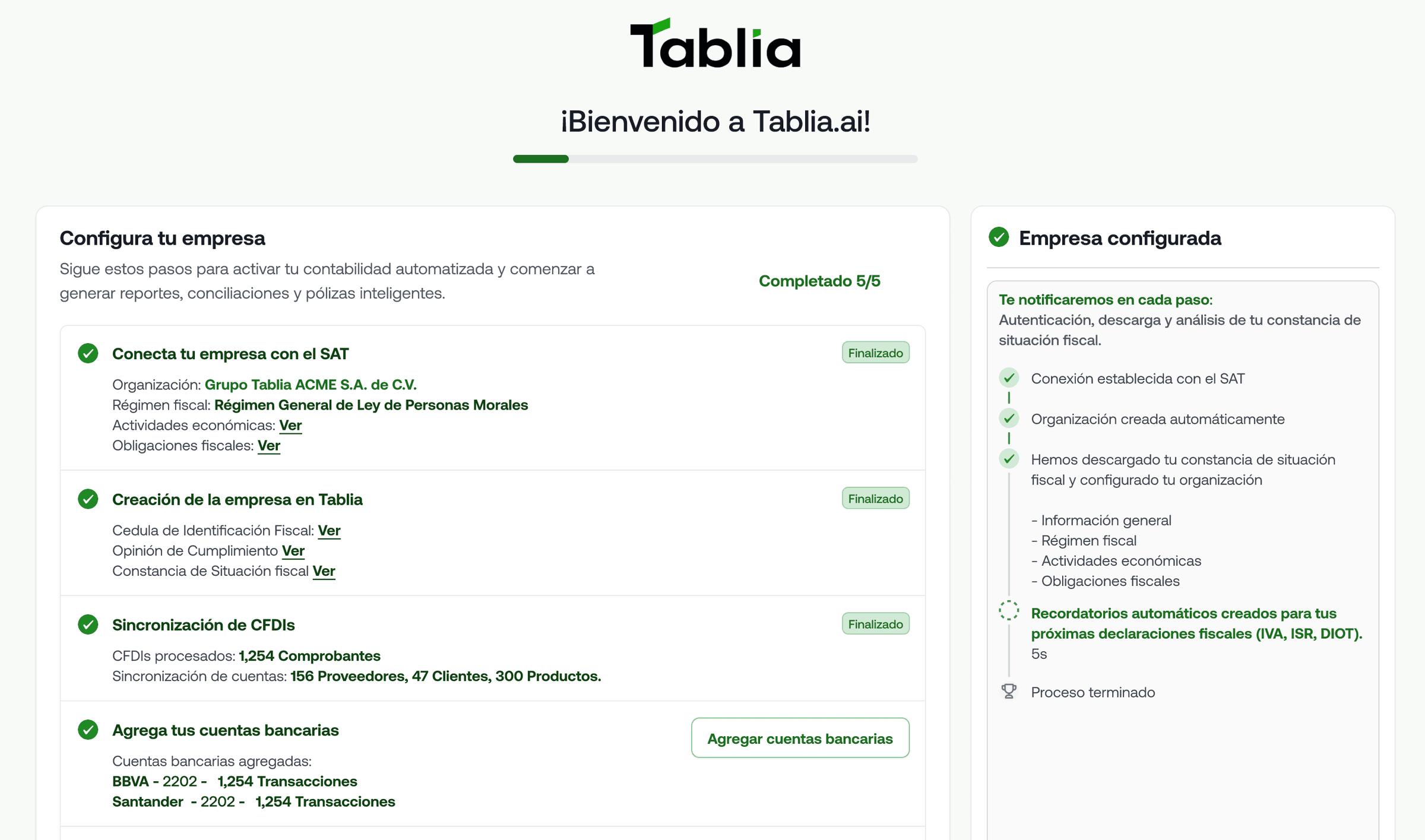
Automatic SAT downloads: Connect directly to the SAT portal to download all your issued and received invoices without entering them manually each month.
Smart electronic invoicing: Generate invoices automatically from your sales systems, with real-time tax validation.
Creation of accounting entries: Automatically convert each invoice into its corresponding accounting entry, applying the correct accounts according to your chart of accounts.
Bank reconciliation: Automatically match bank movements with the corresponding invoices, identifying discrepancies instantly.
Financial reports: Generate up-to-date financial statements in real time, not only when the month closes.
How to get started without turning everything upside down at once
Step 1: Identify your biggest pain point. Is it downloading XMLs? Entering invoices manually? Reports that are never ready on time? Start by automating the process that consumes the most of your time.
Step 2: Connect your basic systems. Before automating, make sure your CSD is valid and that you have access to your business bank account. They are the foundations of any accounting automation.
Step 3: Implement gradually. Don’t try to automate everything in a week. Start with SAT downloads, then invoice classification, then accounting entries. Each step will give you confidence for the next one.
Step 4: Keep full visibility. Automation doesn’t mean losing control. Make sure you can review, correct and understand every automated process.
Tablia: accounting automation designed for Mexico
Tablia automates 90% of routine accounting work while maintaining complete transparency over every process. From downloading from the SAT to generating reports, everything runs without friction and with the oversight your company needs.
It’s not magic; it’s technology applied intelligently to the real problems of Mexican companies.